The Worklog Type Time Spent Panel gives another way to display entered worklogs.
You are able to display worklogs agregate aggregate depending on differents different criteria.
Availables Available criteria are :
- Worklog Author
- Worklog Type
- Worklog Date, declined in :
- Day
- Week
- Month
- Quarter
On first access, the used criteria are Worklog Author and Worklog Type ...
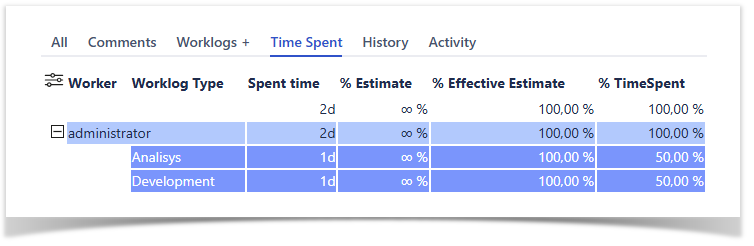
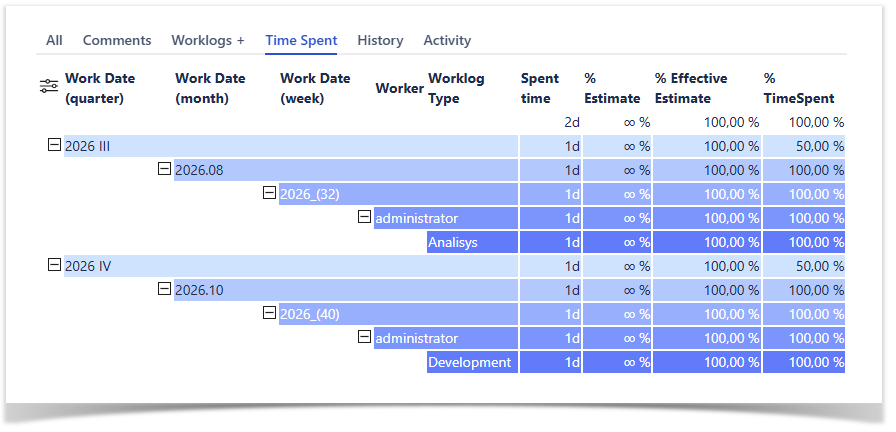
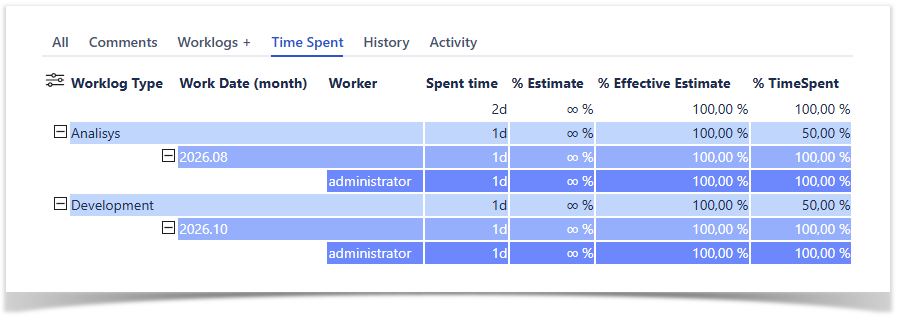
Depending on selected criteria, you will obtain differents agregation different aggregation of time spent with follwing informations following information :
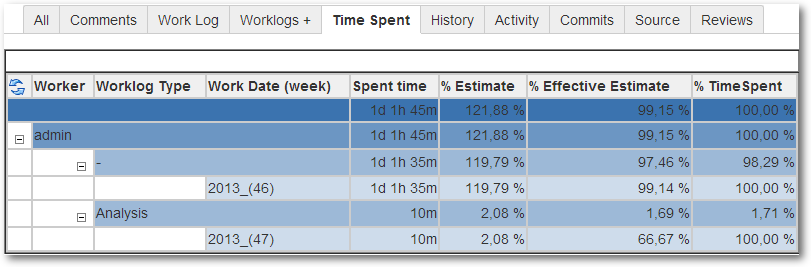
- Spent Time : Agregate Aggregate time spent by criteria.
- % Estimate : Spent Time against Original Estimate expressed in %.
- % Effective Estimate : Spent Time against Effective Estimate (Remaing Remaining Estimate + Spent Time) expressed in %(always 100% if no estimation have been done).
- % Time Spent : % of time spent against the agregate aggregate time of previous agregation aggregation level.
You are able to configure which criteria to use by clicking on  ... and change the expected criteria and their order ...
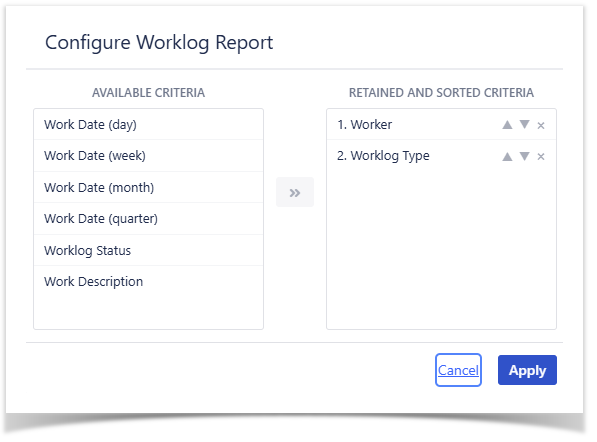
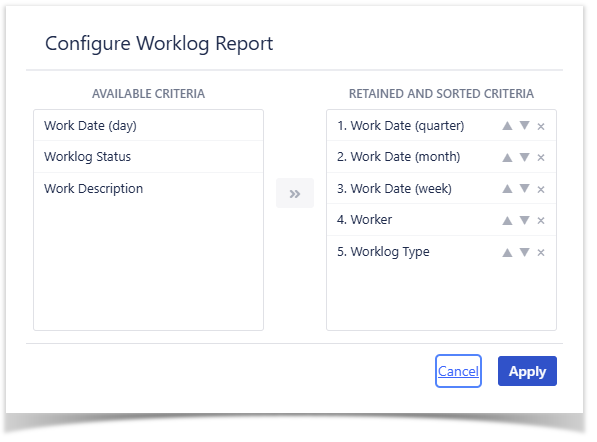
When applying the new configuration, the rendering of the Issue Panel is refreshed ...
Agregation- Aggregation done by :
- Quarter, Month, Week,
Agregation
- Worker and Worklog Type
- Aggregation done by :
- Worklog Type, Month and Worker
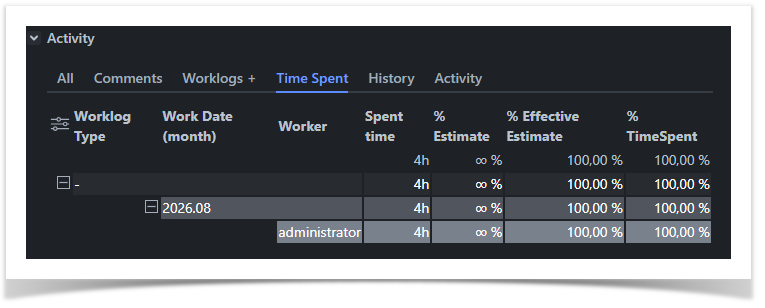
With Jira 10.x and over, the Dark theme is now supported ...
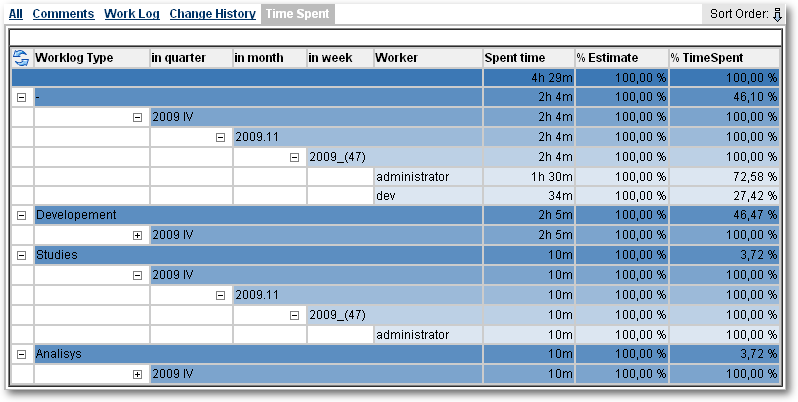
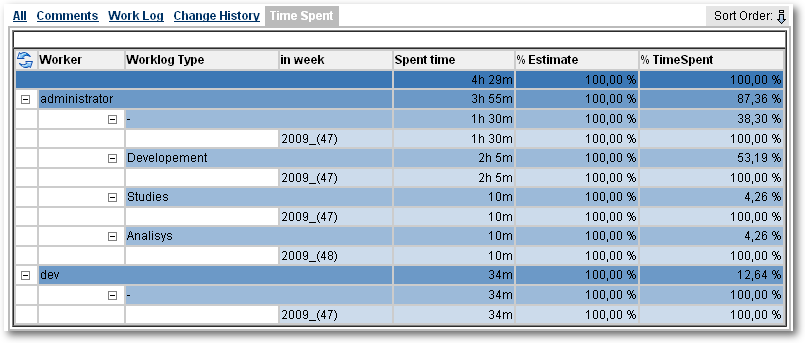
Agregation done by : Author, Worklog Type and Work Date (in week)
| Excerpt | ||
|---|---|---|
| ||
... where you will be able to display logged spent time by different criteria. |
| Panel | |
|---|---|
On this page:
|