| Easy Heading Macro | ||
|---|---|---|
|
| Excerpt | ||
|---|---|---|
| ||
It will Project Permission Show Worklogs will allow you to grant access Worklog details to only allowed users. |
Overview
Minyaa Time introduces the Project Permission Show WorklogWorklogs to provide the ability to restrict access to Worklogs.

How to enable
Go to Minyaa Settings page and set to Yes or No the relevant setting ...
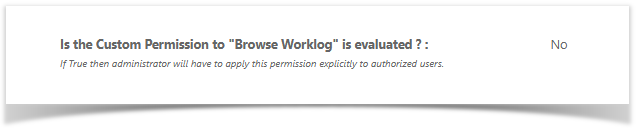
How it
wordsworks
When enabled, by granting the Show Worklog Project Permission to only allowed users, only them will be able to see Worklogs on Worklogs on following main features :
- Extended Worklog Issue Panel
- Timespent Issue Panel
- Timetracking Issue Web Panel
I remains, in Jira, other parts where the Worklog can be view, but there is no intrusive way to disable them.