Overview
As soon you as your JIRA Instance defines a complex configuration, the number of Screen may increase quickly.
...
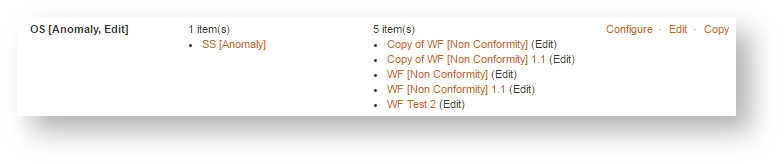
- the list of Screen Schemes where it is defined.
- the list of Workflow Transitions that uses it,
- but also the Workflows Transition of all Archived Workflows that you omit to delete


Enhancement
The enhancement proposed by this plugin is to provide an Expand/Collapse feature for each Screen.
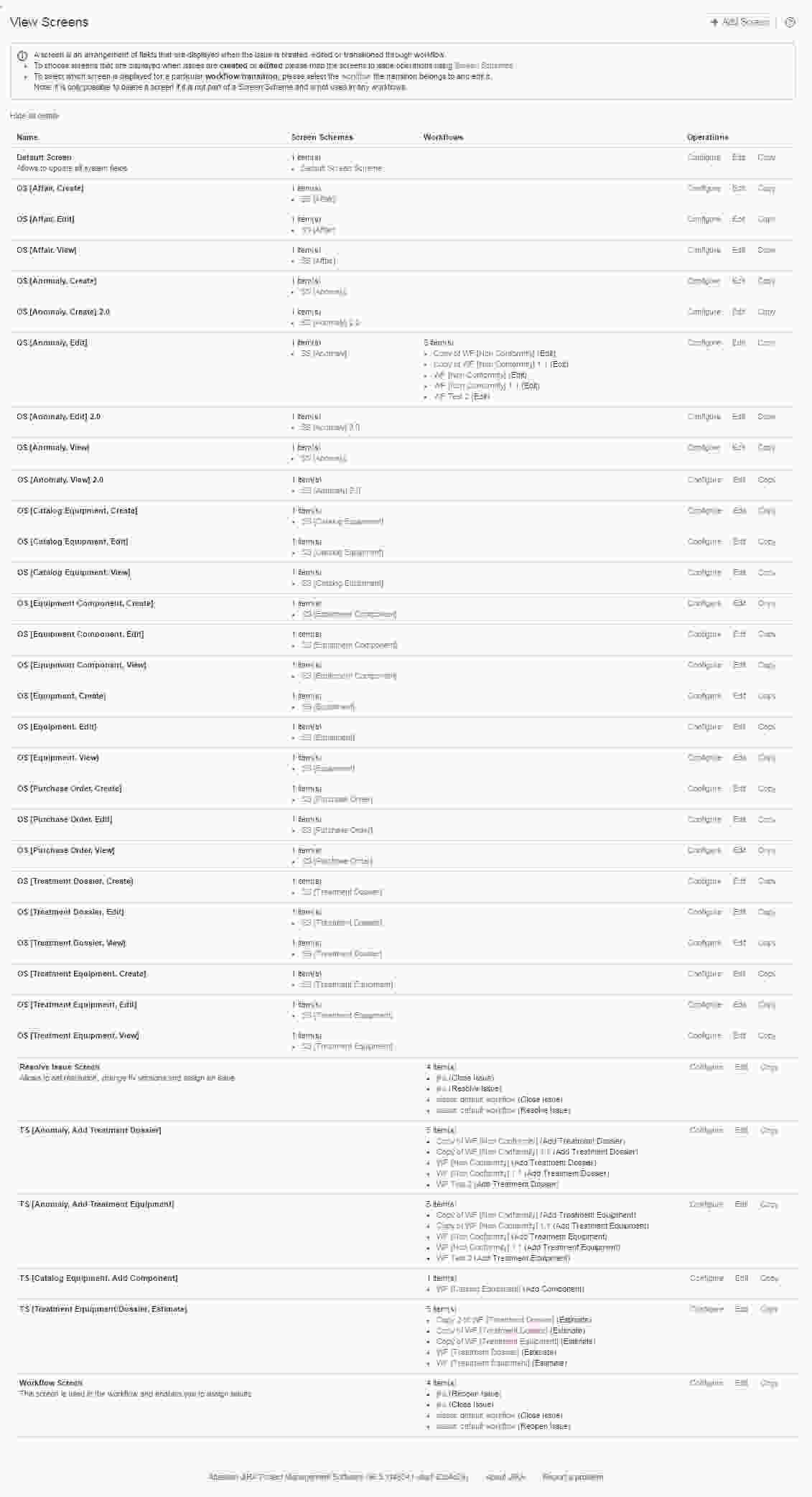
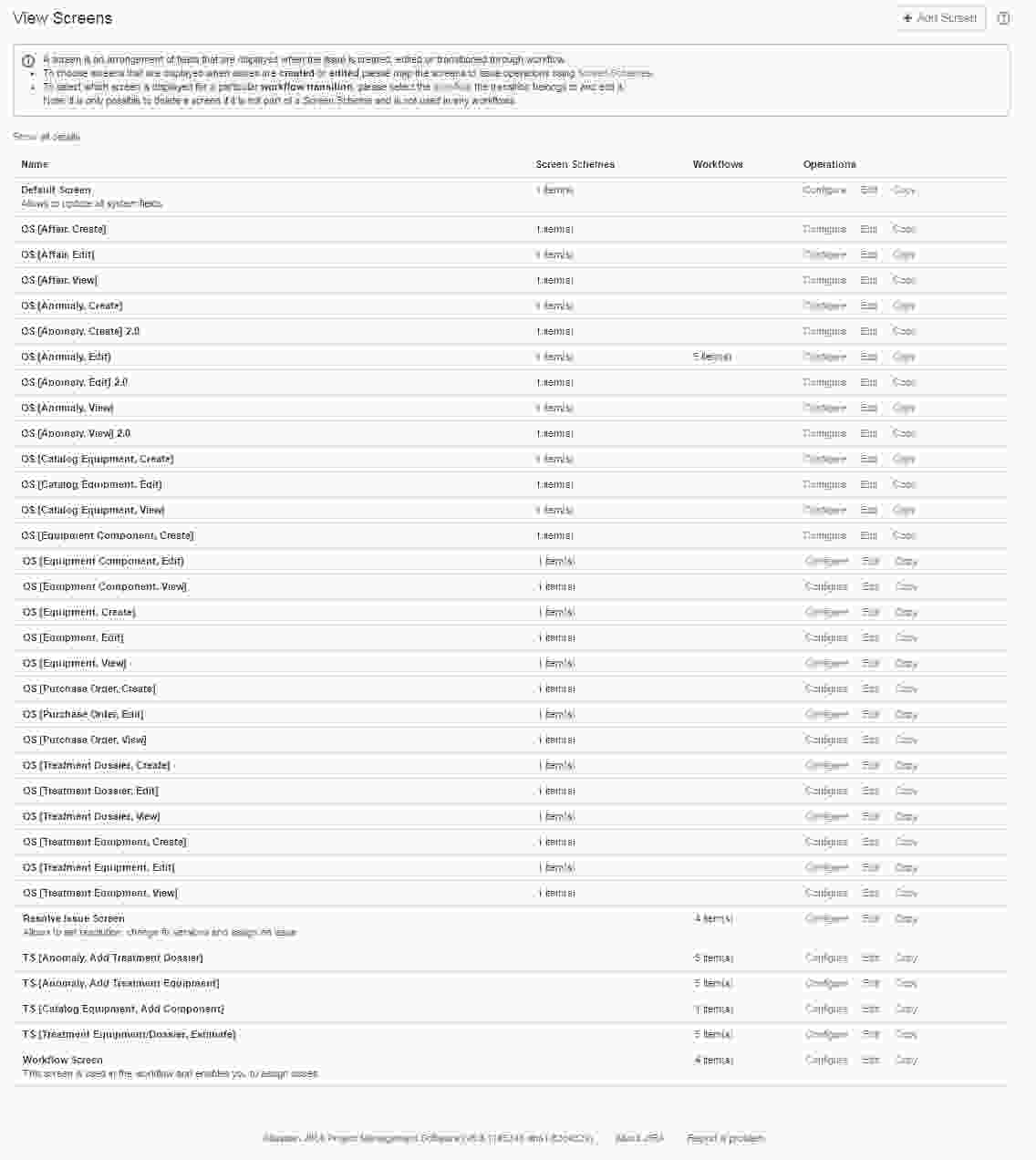
For each Screen, a count of its usages (in Screen Scheme of and in Workflow Transitions) is added in bottom of the screen list and allows, when clicking on it, to expand or to collapse the screen list.
| Expanded |
|
|---|---|
| Collapsed |
|

It appears to be a small gain, but by accumulating all you Screen, you will see the difference.
Below a example with a JIRA Instance 5 Projects, 8 Workflows, 86 Custom Fields and 31 Screens. When expanded, we have to scroll on 4 screens, and 2 when collapsed.
Imagine the gain with more complex JIRA Instances.
| Expanded | Collapsed |
|---|---|
|
|